
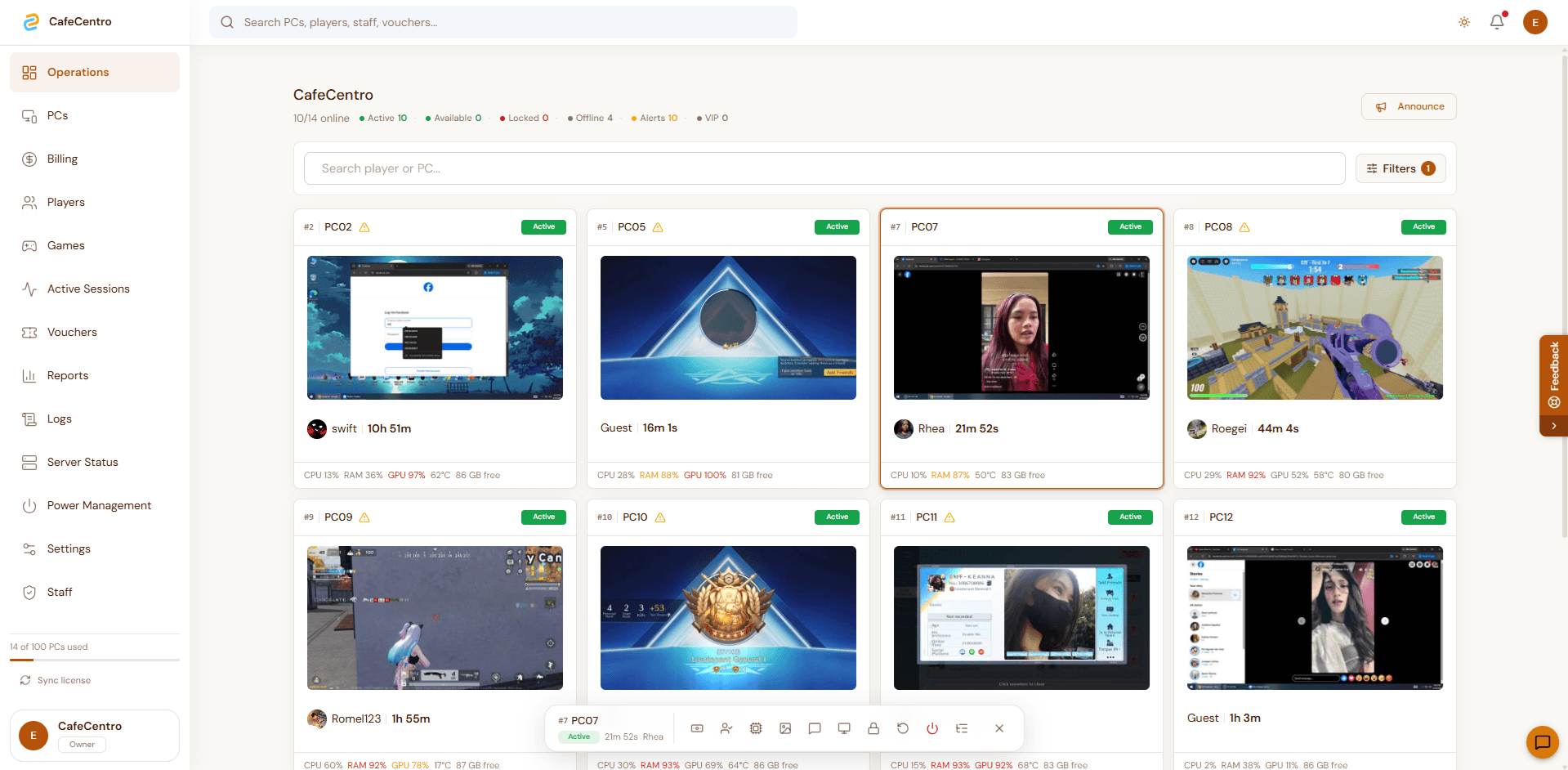
Command center
Live operations dashboard
Show owners and counter staff the whole floor at once: active PCs, customer names, timers, alerts, and quick station actions.
CafeCentro Centralized
Centralized now brings the desktop store portal and mobile cashier app together, so staff can manage PC timers, previews, player accounts, vouchers, alerts, and daily reports from the screen that fits the moment.
10/14
PCs online
Desktop
store portal
Mobile
cashier app
Owner glance
10/14
PCs online
Desktop
store portal
Mobile
cashier app
Bring customer sessions, staff actions, PC activity, and daily records together in one system.
Desktop store portal
Give counter staff a full-screen app for PC status, previews, sessions, vouchers, chat, and daily work.
Customer session screen
Show clear timers, notices, and session status on every managed station.
Mobile cashier app
Check the shop, search players, handle quick actions, and review alerts from a phone.
Game access flow
Give customers an easier way to browse and open available games.
Coinbox-ready service
Support coin-operated setups with a clearer self-service experience for customers.
Shop safeguards
Reduce avoidable disruptions and keep daily operations more stable during busy hours.
Desktop and mobile included
CafeCentro Centralized is no longer only a web dashboard. The desktop app gives the counter a dedicated store portal, while the mobile app keeps owners and cashiers close to the shop status.
A focused store portal for staff who need large PC cards, live previews, session controls, and quick daily navigation.
A phone-friendly view for checking status, searching players, handling vouchers, and responding while away from the desk.
Staff can move between desktop and mobile without guessing which screen has the latest status.
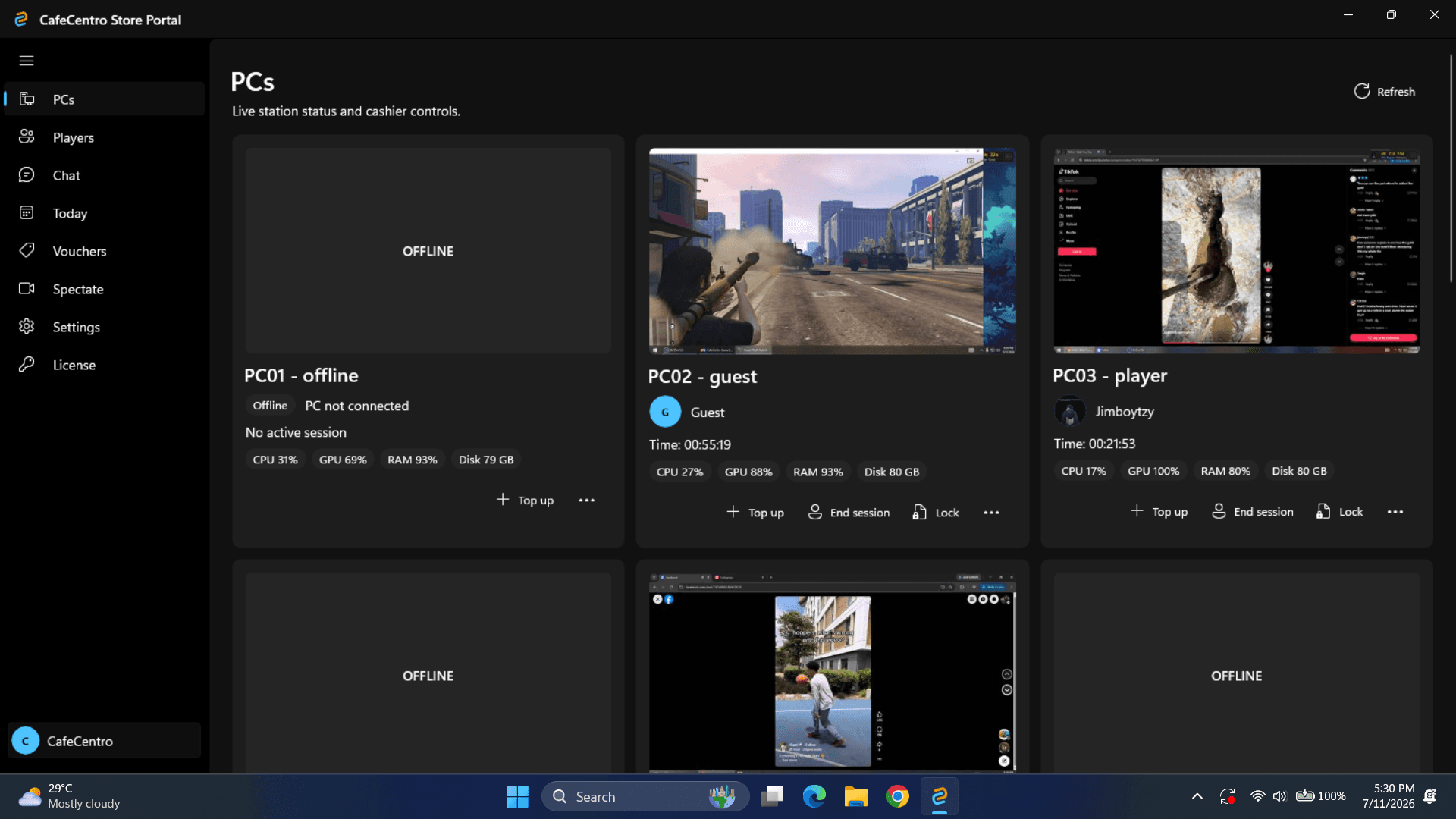
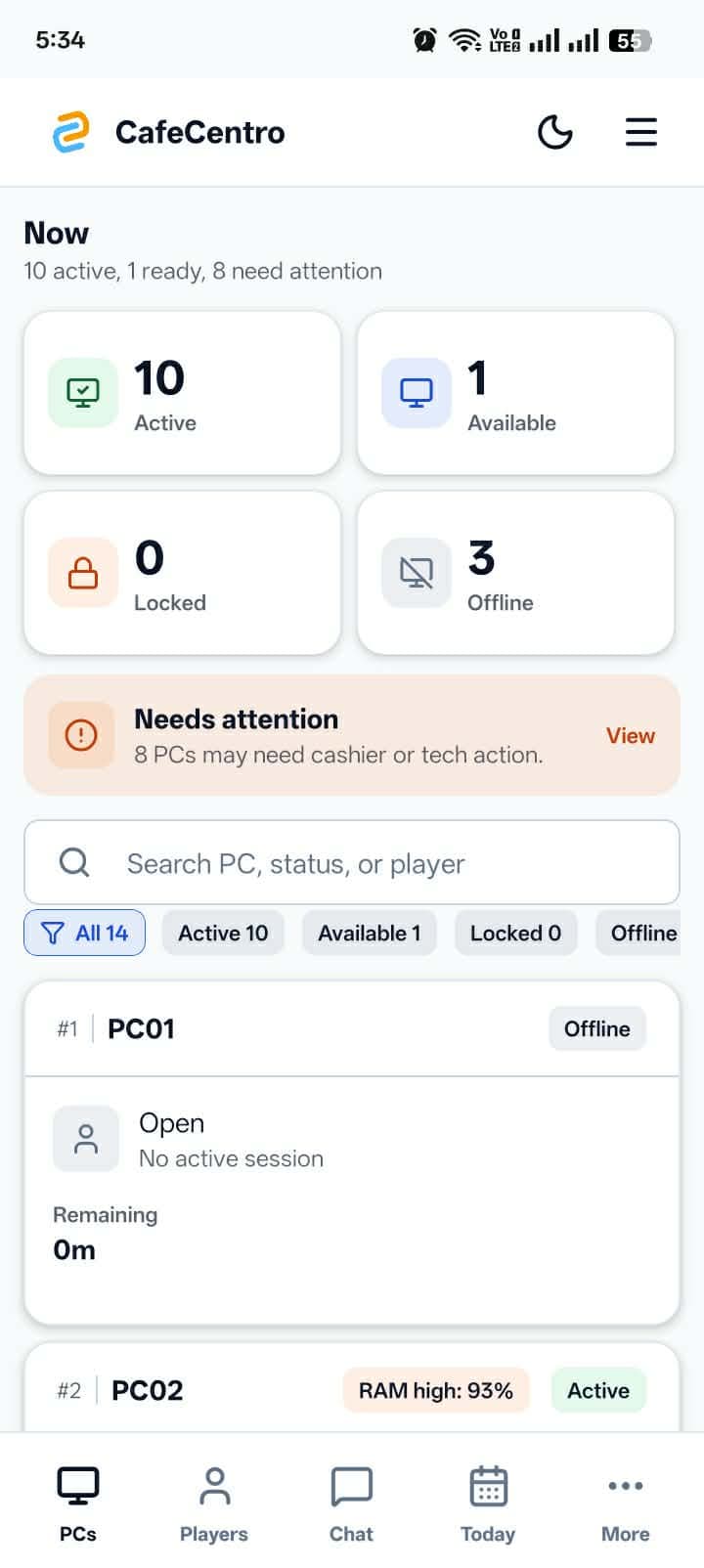
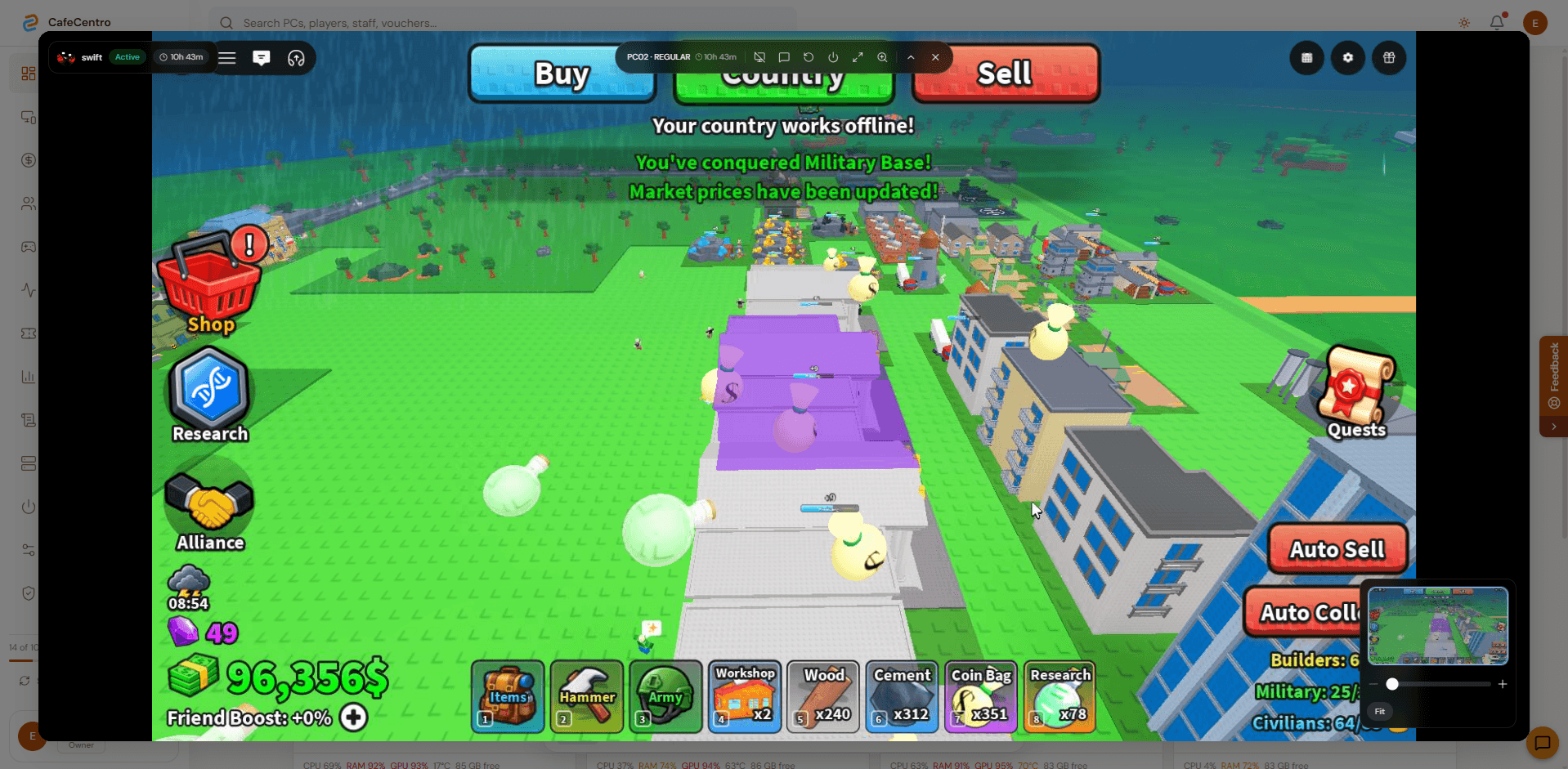
These are the screens cafe owners care about first: the desktop store portal, mobile cashier view, live floor, customer support, coinbox self-service, launcher, players, and game library.
Command center
Show owners and counter staff the whole floor at once: active PCs, customer names, timers, alerts, and quick station actions.
Desktop app
Give the front desk a dedicated desktop app with large PC cards, live previews, player sessions, and cashier actions.
Mobile app
Let owners and cashiers check PCs, alerts, players, vouchers, and shop status from a phone.
Remote view
Open a station stream, check what is happening, and respond faster when a customer needs help.
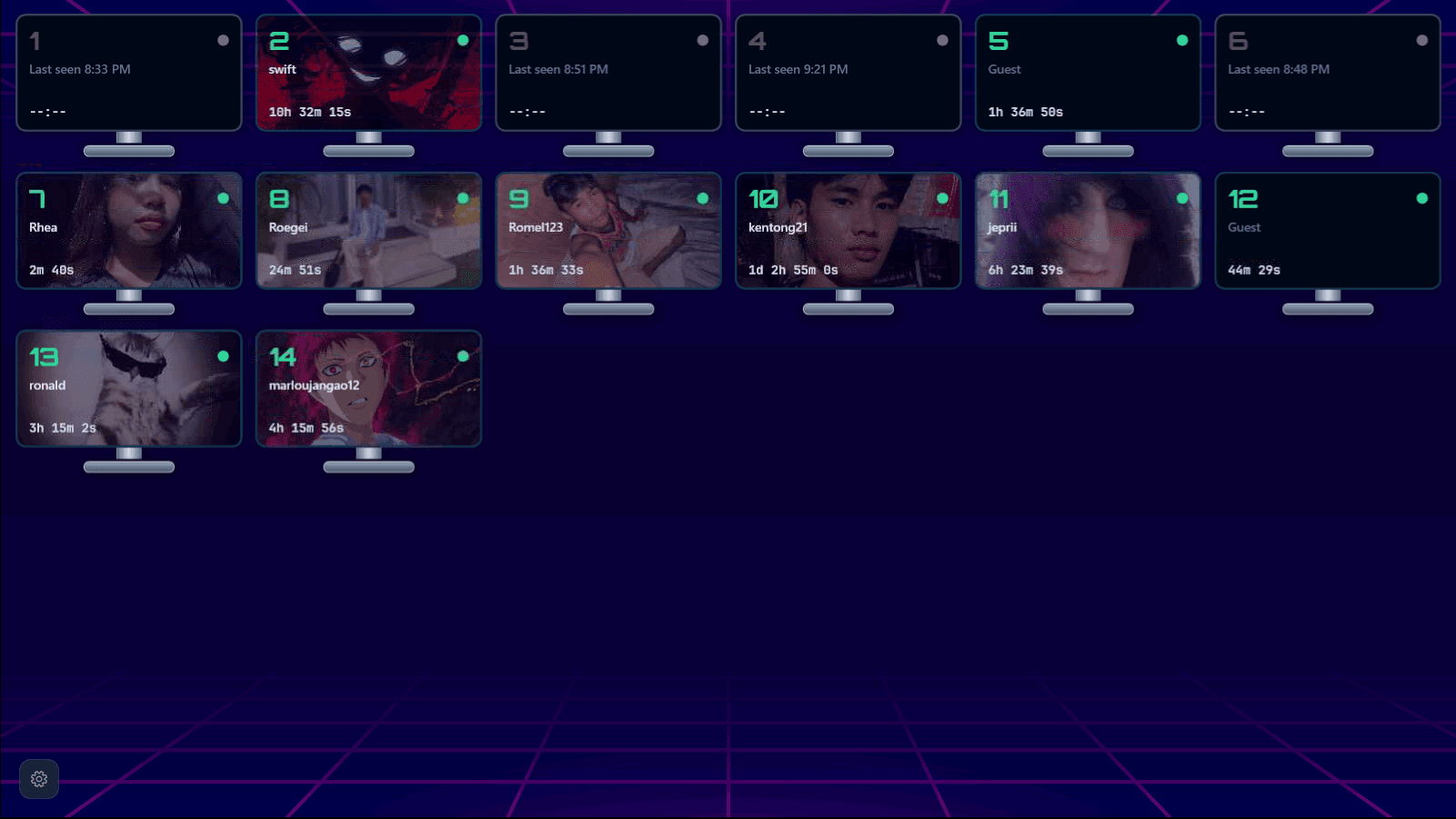
Coinbox flow
Give self-service shops a bold customer-facing station list with timers and active players visible.
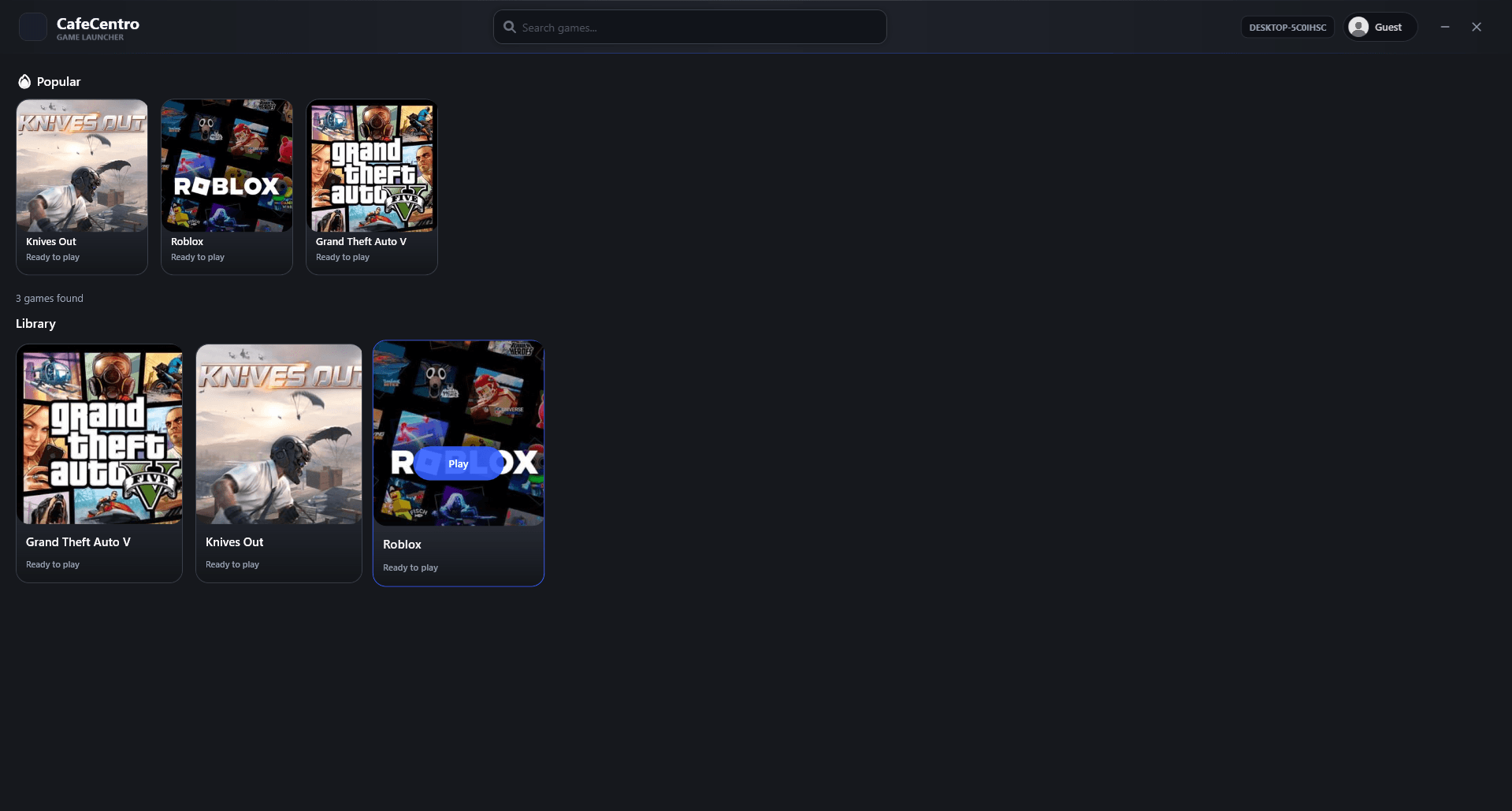
Customer station
Let customers move from paid time into games with a clean launcher experience on the station.
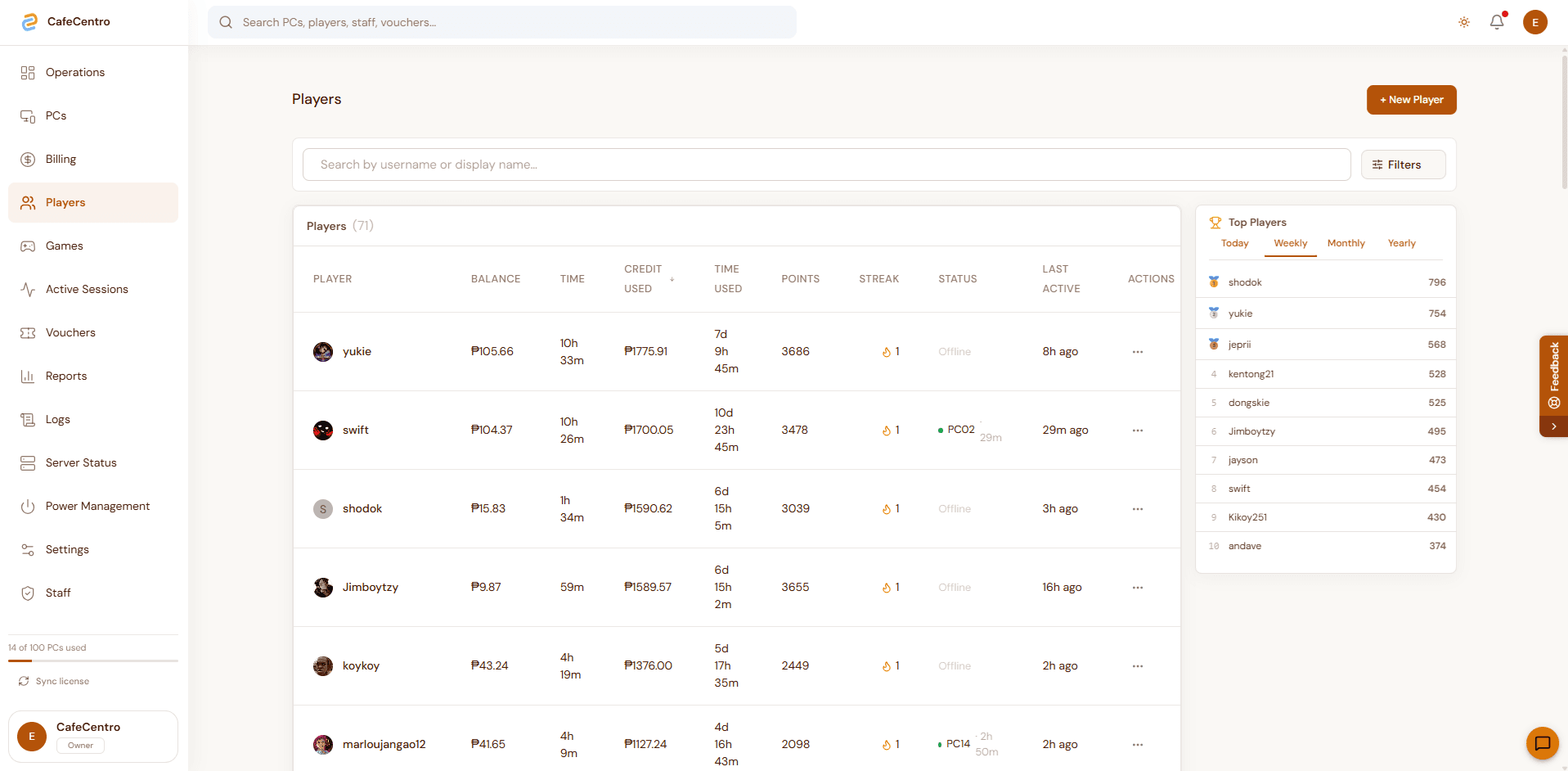
Players
Keep customer accounts, sessions, and activity easier for staff to search and support.
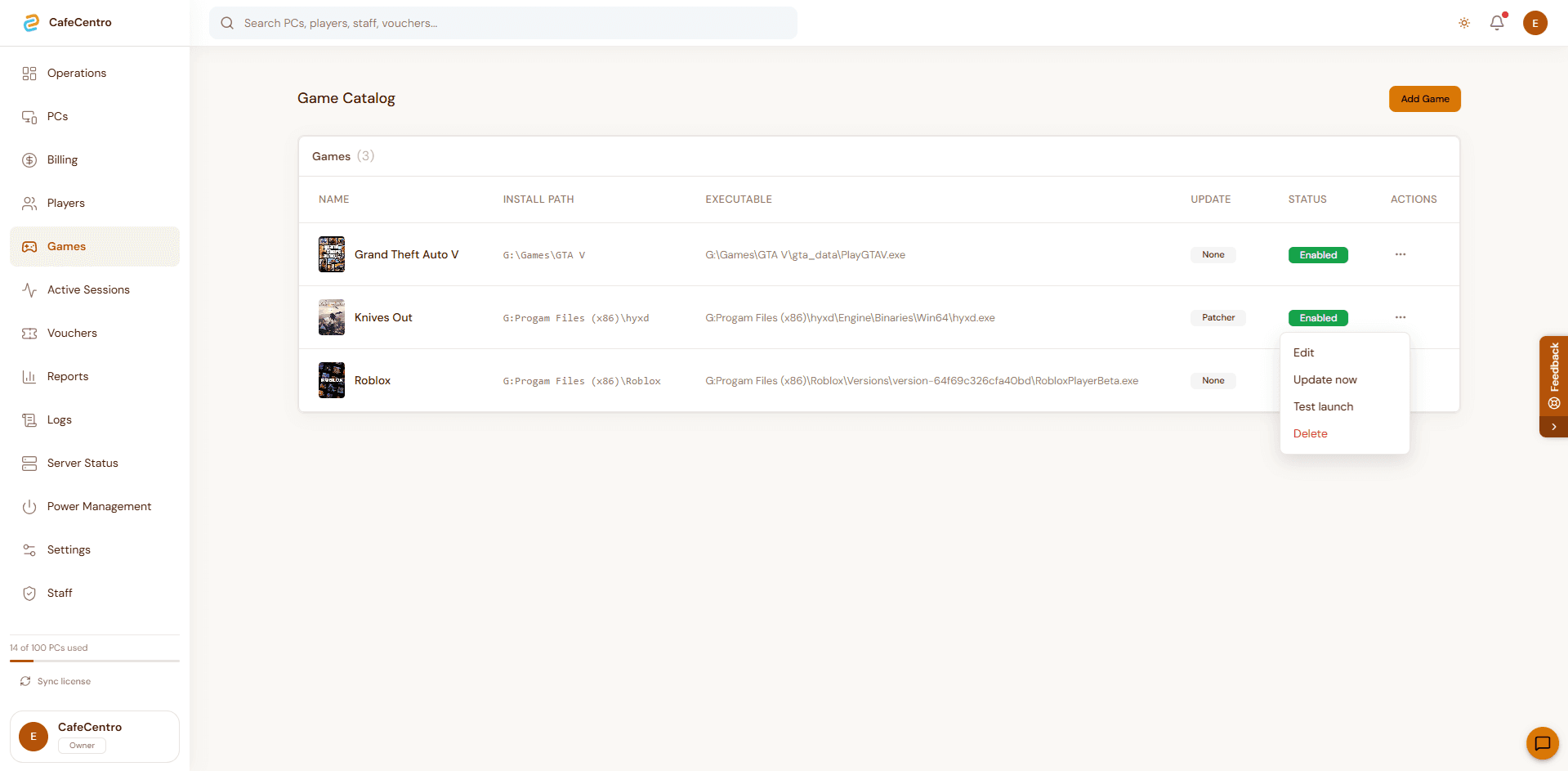
Games
Prepare the catalog customers see on the launcher without hunting through each PC manually.
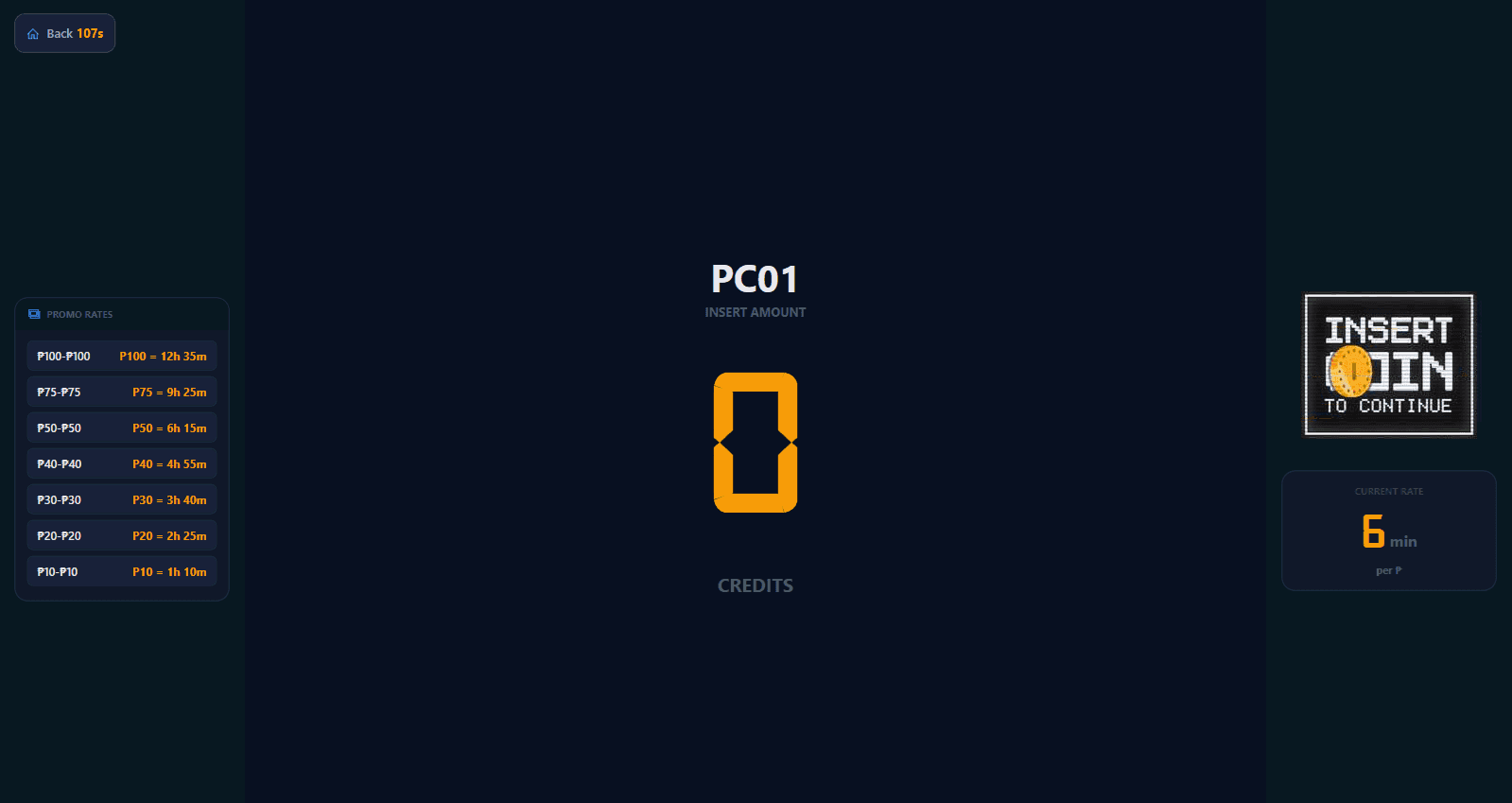
Top-up
Make the pay-to-start action obvious on the customer station with a focused coinbox prompt.
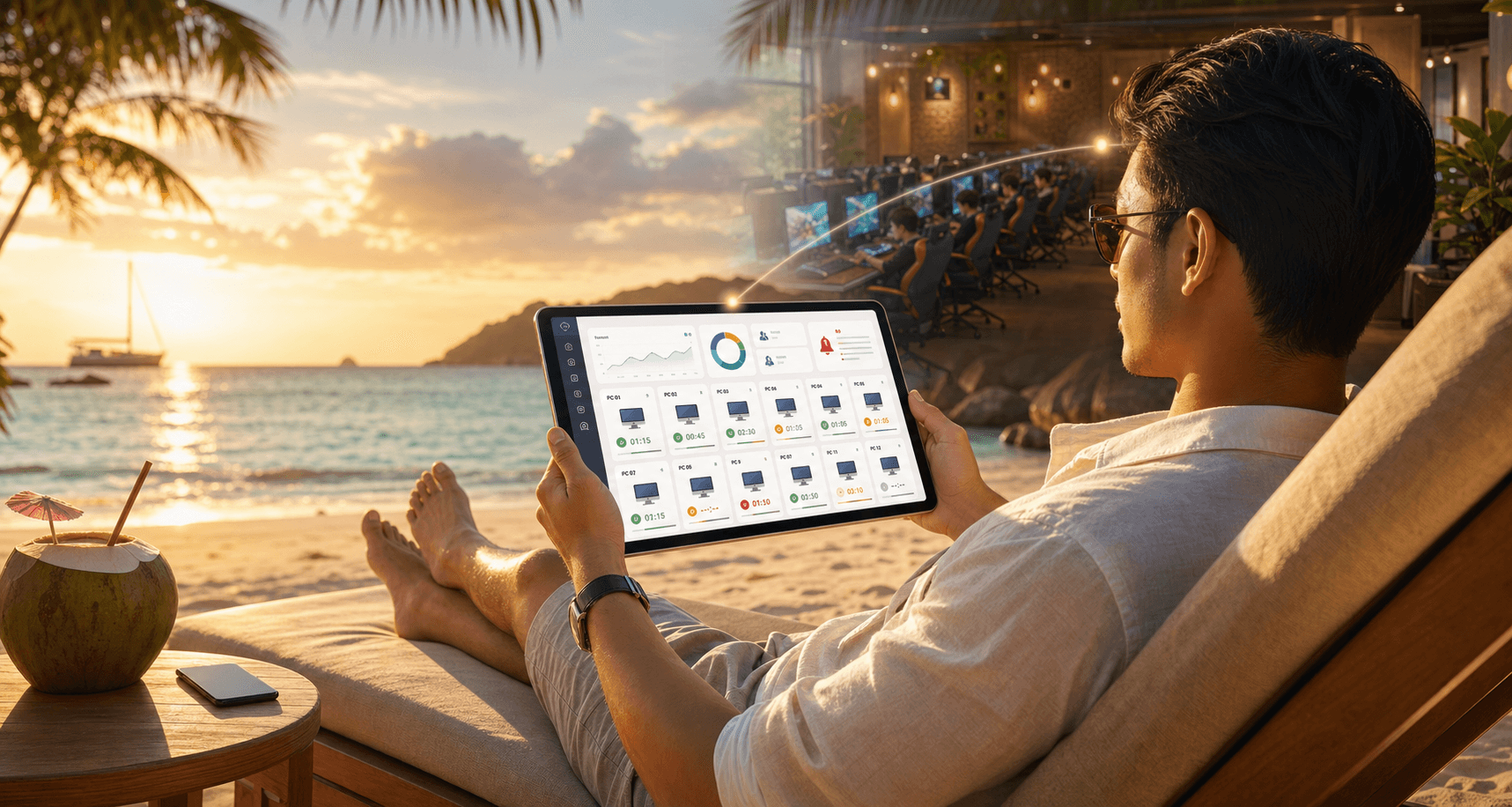
Online anywhere
CafeCentro should feel like peace of mind, not another dashboard to babysit. Owners can step away and still see the signals that matter: active PCs, customer help, staff flow, revenue, alerts, and daily reports.
Check active, idle, offline, and alerting stations without needing to be inside the shop.
Spot locked PCs, hardware warnings, and customer help signals before they turn into long waits.
Keep an eye on usage, top-ups, vouchers, and daily revenue while the floor keeps moving.
Stay connected to customer requests and staff coordination even when you are away from the counter.
Use quick actions and remote support context so the team can respond faster when a station needs attention.
Review activity patterns and close the day with cleaner records from wherever you are.
Set up CafeCentro around the way your shop already works.
Bring your managed PCs into one shared operating flow.
Use one dashboard to handle customer time, players, staff, and daily activity.
Give customers a clearer on-screen experience while staff keeps control.
Built for daily operations
CafeCentro is designed to help owners and staff stay in control during busy hours, reduce avoidable interruptions, and keep shop records easier to review.
Keeps the floor moving
Reduce interruptions when a station needs attention so staff can respond faster.
One shared source of truth
Staff and customer-facing screens stay aligned on time and session status.
Ready for busy days
Support rush hours, repeat customers, and quick top-ups with a clearer operating flow.
Safer daily records
Keep sales, session history, and shop activity easier to review and protect.
Cleaner accountability
Give owners better visibility into what happened during the day.
Room to grow
As the shop gets busier, your team can still manage operations from one place.
Give your shop a clearer way to manage customer time, top-ups, players, staff, and daily operations.